Cable vs. Streaming: Which Is Right for You?
Over the past decade, how we consume entertainment has drastically changed. What once required a cable subscription, a set-top box, and a specific time to tune in has now evolved into an era where you can watch anything, anywhere, at any time.
Today, viewers face a fundamental choice: stick with traditional cable TV or shift to modern streaming platforms. But when it comes to streaming vs cable, which one truly fits your lifestyle, budget, and viewing preferences?
In this guide, we’ll break down what is cable TV, what is streaming, and explore the pros, cons, and key differences—so you can decide which option is best for you.
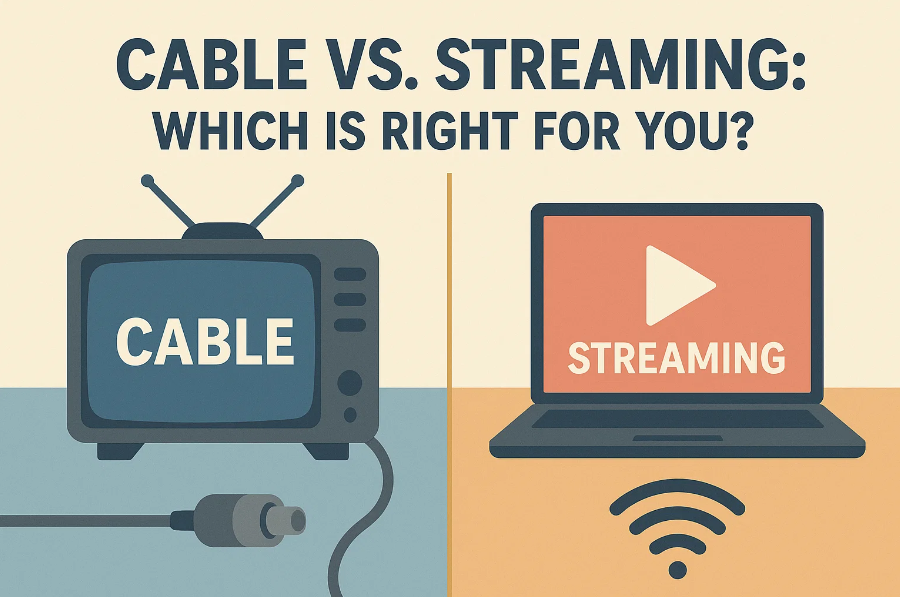
What Is Cable TV?
Cable TV is the traditional way of delivering television content through coaxial or fiber-optic cables directly to your television set. It typically includes hundreds of channels offering news, sports, movies, and general entertainment.
Most cable providers offer tiered packages, which means you pay more for premium channels like HBO, Showtime, or live sports packages. Many also bundle services with home internet and landline phone plans.
Pros of Cable TV:
- Live programming: Ideal for sports fans, news junkies, and live event enthusiasts.
- Stable signal: No buffering or drops due to internet issues.
- Channel variety: Access to both local and international channels.
Cons of Cable TV:
- Fixed schedules: You need to tune in at a specific time unless you have a DVR.
- Higher monthly fees: Often $70–$150/month depending on the package.
- Limited flexibility: Usually tied to one TV and location, though newer setups support apps.
While cable TV still has its loyal base—especially for live sports and local news—the rise of on-demand streaming has dramatically shifted the entertainment landscape.
What Is Streaming?
Streaming refers to the delivery of content (TV shows, movies, and even live TV) over the internet. Platforms like Netflix, Disney+, Hulu, Prime Video, and many others allow users to access entertainment on-demand from almost any device: smart TVs, smartphones, tablets, and laptops.
Key Features of Streaming:
- On-Demand Viewing: Watch what you want, when you want—no need to follow a schedule.
- Personalized Recommendations: Algorithms suggest shows based on your preferences.
- Multi-Device Access: Stream on various screens simultaneously, ideal for families.
- Offline Viewing: Most platforms allow limited downloads for on-the-go viewing.
If you’re wondering how to download Amazon Prime series, most platforms do allow this within their apps, but the content often expires or is restricted. For those who want to save their favorite movies or shows without these limitations, tools like CleverGet All-In-One offer a useful solution. This video downloader/recorder can download from multiple services in high quality, giving users more flexibility over their media library.
However, streaming isn’t without its drawbacks.
Cons of Streaming:
- Fragmented Content: Must subscribe to multiple services to access all desired shows.
- Internet Dependency: Requires a stable connection to avoid buffering.
- Costs Add Up: Individually affordable, but multiple subscriptions can rival cable costs.
Cable vs. Streaming – Key Differences
Let’s break down the direct comparison between cable vs streaming across various criteria:
| Feature | Cable TV | Streaming |
| Content Access | Live channels, fixed schedule | On-demand, anytime |
| Flexibility | Mostly one location/device | Multiple devices, mobile-friendly |
| Cost | $70–$150/month | $5–$20/month per service |
| Offline Viewing | Limited to DVR options | Most services offer downloads |
| Installation | Requires hardware setup | Instant, app-based |
| Customization | Fixed packages | Pick and choose subscriptions |
| Live TV | Standard offering | Available on some platforms (e.g., Hulu + Live TV, YouTube TV) |
When comparing streaming vs cable, the choice often comes down to what you watch and how you prefer to watch it.
Which One Should You Choose?
Now that you understand the core differences, let’s explore how to determine which entertainment path is right for you.
For Families
Streaming offers better flexibility and parental controls, plus offline viewing for kids during trips. Services like Disney+, Netflix Kids, and Amazon Prime cater well to households. You can even download Amazon Prime series for distraction-free road trips.
For Sports Fans & News Watchers
Cable TV may be the better fit, especially for live sports, local broadcasts, and 24/7 news coverage. While streaming platforms are catching up (e.g., ESPN+, Sling TV, Hulu + Live TV), coverage may be fragmented.
For Movie Buffs & Binge-Watchers
Streaming is the clear winner. Platforms like Netflix, HBO Max, and Prime Video have vast libraries. If you’re worried about content disappearing, CleverGet All-In-One allows you to back up favorites from multiple services in high resolution.
For Budget-Conscious Viewers
If cost is your concern, streaming is often more affordable—if you limit subscriptions. Choosing 1–2 platforms that suit your taste is usually cheaper than a full cable package. Be careful, though: adding several services can quietly bring your bill close to cable prices.
For Traditional Viewers
If you’re not tech-savvy or prefer channel surfing without choosing what to watch, cable TV might still be the more comfortable choice.
Final Thoughts: Cable or Streaming?
The streaming vs cable debate doesn’t have a one-size-fits-all answer. Each has strengths and weaknesses, and the best option for you depends on your preferences, lifestyle, and budget.
Choose Cable If:
- You prioritize live sports and news
- You prefer traditional channel surfing
- You’re okay with higher monthly costs for convenience
Choose Streaming If:
- You want flexibility and control over content
- You enjoy binge-watching or international shows
- You want to watch across devices and on the go
Many households today find a hybrid approach works best—maintaining a basic cable package for live events while subscribing to a few streaming platforms for on-demand viewing.
Whichever route you take, ensure it matches how your household actually watches content. And if you’re worried about losing access to your favorite series, consider backing up with a solution like CleverGet All-In-One for long-term convenience.